Zurflaw Bill

30-day free trial · No credit card required

Bill every hour. Keep every dollar.

Zurflaw Bill is time tracking, expenses, and invoicing in one workspace—built for freelancers and teams who want a full billing workflow without pricing that grows with every client or project.

Flat seat pricing · Unlimited clients & projects

Your timer travels with you—start on desktop, keep going on your phone

Zurflaw Bill
Zurflaw Bill time tracking screen with timer and recent entries

Pricing that stays out of your way

Flat pricing—not per project, not per client

Win more work without a bigger software bill. Pay by seat, then track unlimited clients and projects. No meter that ticks up every time you onboard a new engagement.

Typical time & billing tools

  • Fees that scale with projects or client count
  • Confusing tiers that punish growth
  • Surprise upgrades when your book of business expands

Zurflaw Bill

  • Simple seat-based pricing ($19 first user, $14 each additional)
  • Unlimited clients and projects included
  • Monthly or annual plans—save 15% when you prepay yearly
  • 30-day free trial and money-back on your first payment

Two ways to run your practice

Solo speed or team approvals—your call

Work like a sole proprietor (think attorney or consultant) or turn on approvals when teammates enter time. One product, two operating modes.

Sole proprietor mode

When you enter the time, it’s approved. No extra submit step standing between you and the invoice—ideal for attorneys and solo professionals.

  • Entering time counts as approval
  • Go straight from tracked hours to invoicing
  • Keep the workflow as lean as your practice
Team approval mode

Enable a workspace setting so other users must submit time for approval before it can be billed. Review weeks, then invoice with confidence.

  • Require teammates to submit time for approval
  • Control which projects need review
  • Grow seats without changing how you bill clients

From tracked time to paid invoice

One continuous flow so billable work doesn’t leak out of spreadsheets.

01

Track

Start a timer or enter time by day. The running timer syncs across devices—leave the desk, open your phone, and pick up the same elapsed time.

02

Ready to bill

Solo: your entry is the approval. Teams: submit for review, then approve before invoicing.

03

Invoice

Turn billable time and expenses into polished invoices—then issue, print, or mark paid.

Everything you need to run the books

Professional time & billing without bolting three tools together.

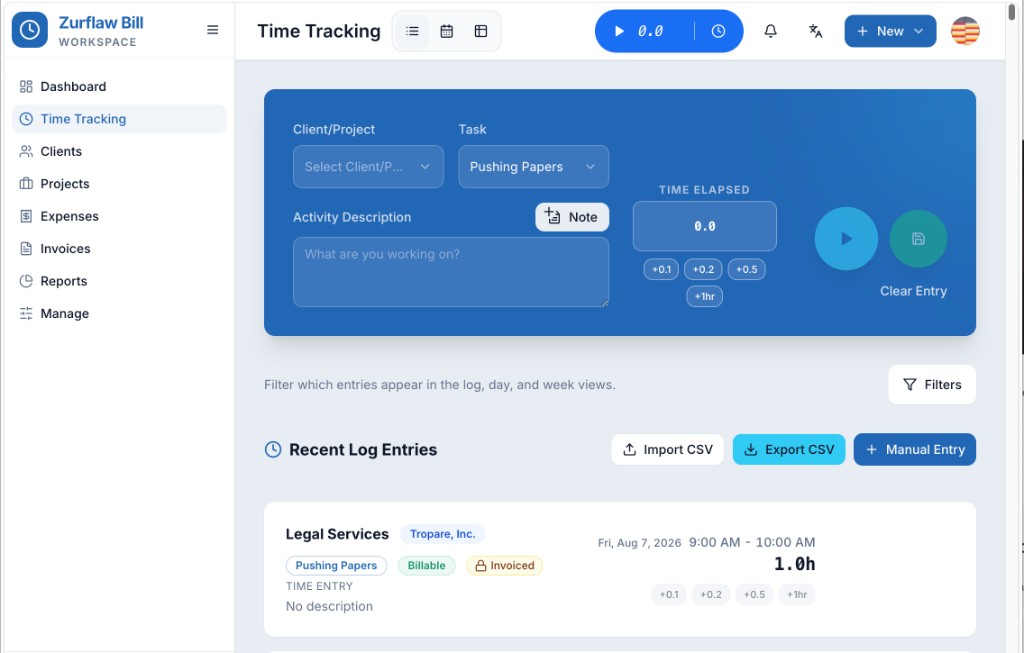
Time tracking that sticks

Capture every billable minute with an intuitive start/stop timer or manual entry. Organize by client, project, and task—and choose whether entries need approval. Start on desktop, hop in the car, open the mobile app: the same timer is still running with time already elapsed.

The timer travels with you across desktop and phone—no restart, no lost minutes.

Zurflaw Bill
Zurflaw Bill time tracking screen with timer and recent entries

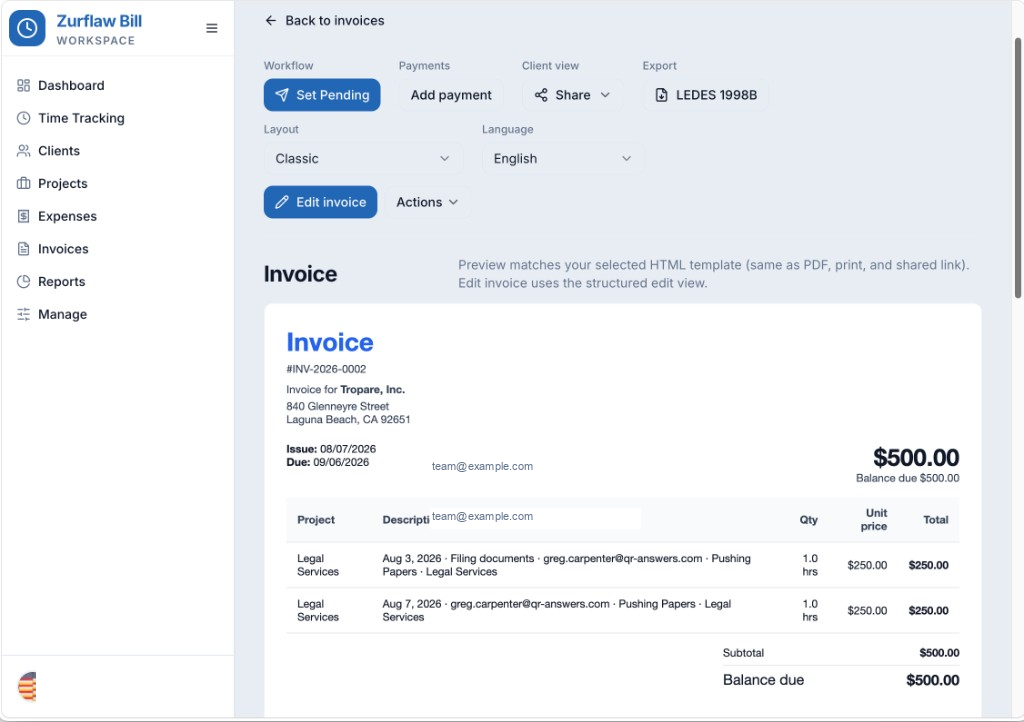
Invoices clients take seriously

Turn time and expenses into polished invoices with templates, discounts, PO numbers, LEDES export, and print-ready layouts. Issue, mark paid, write off, or print in one pass.

Tracked work becomes professional invoices fast.

Zurflaw Bill
Zurflaw Bill invoice preview with line items and actions

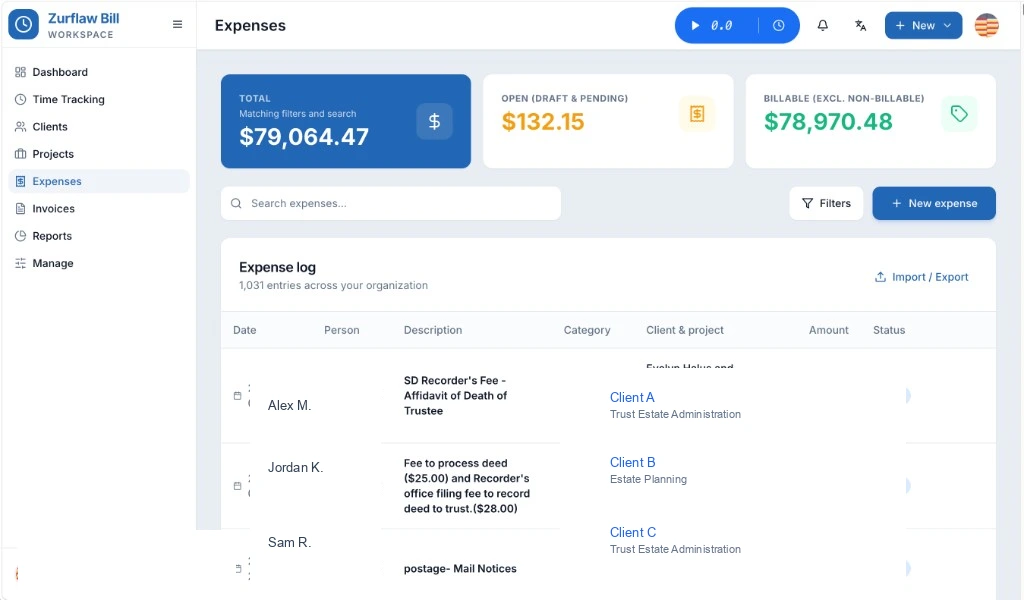
Expenses without the spreadsheet mess

Log reimbursable and billable expenses, categorize them, and roll them onto invoices alongside time—no copy-paste between tools.

Billable and reimbursable costs stay attached to the work.

Zurflaw Bill
Zurflaw Bill expenses dashboard with totals and expense log

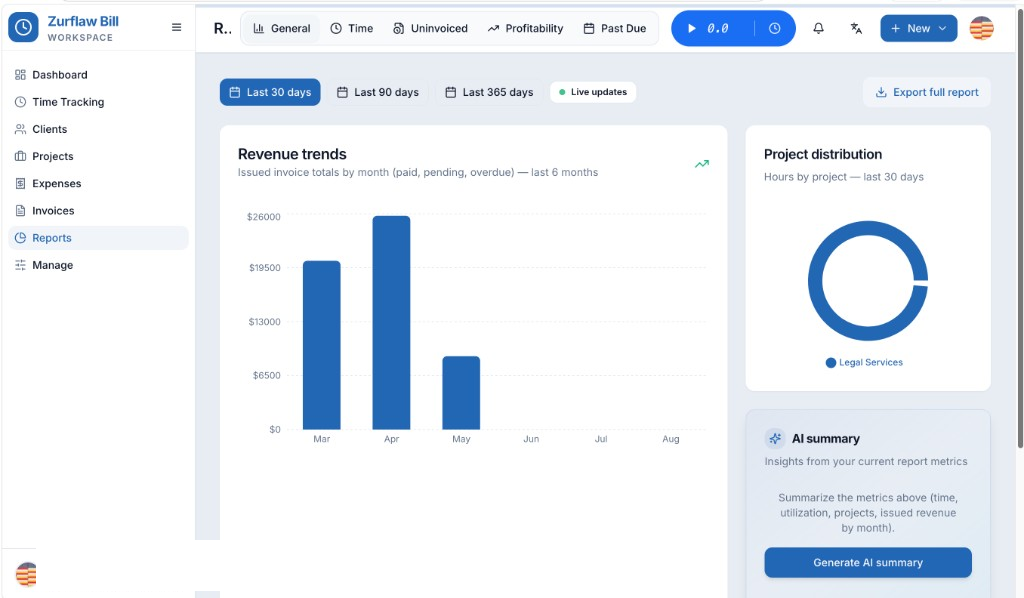
Reports that find leaked revenue

See utilization, uninvoiced work, and period summaries with flexible ranges—week, month, quarter, year, or custom—so nothing sits unbilled.

Spot uninvoiced time and jump straight into invoice creation.

Zurflaw Bill
Zurflaw Bill reports with revenue trends and project distribution

Stop paying more just because you’re winning work

Try Zurflaw Bill free for 30 days. Keep unlimited clients and projects under flat seat pricing—and see if it fits how you already bill.

No credit card required to start. Cancel anytime.